System Management App
Overview
The System Manager App is a special application in the dejaOS system used for performing low-level maintenance tasks. It is primarily used for application installation, system information queries, and switching system operating modes.
As system versions have evolved, the System Manager App has upgraded from an interface-less PC tool management mode to an interface-based device-side management mode.
1. New Version (2.1.0+): Device-Side Management Mode
The new version provides a visualized System Manager App, supporting management and configuration directly on the device screen, as well as remote management via a local network.
1.1 How to Enter
When the device starts up, a solid gray background image is displayed for about 2 seconds. During this period, long-press anywhere on the screen to enter the System Manager App.
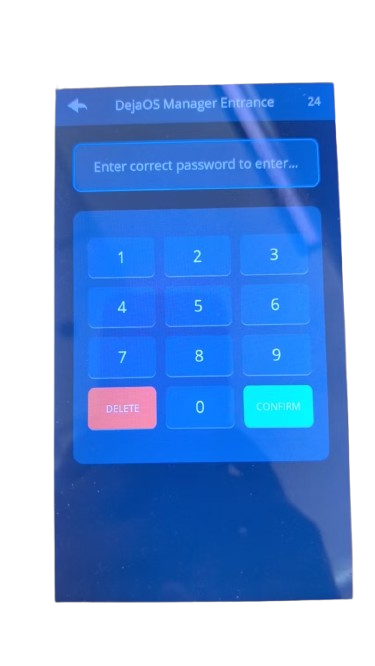
1.2 Security Authentication
You need to enter the administrator password to access the system. Once logged in, you can change this password in the system configuration.
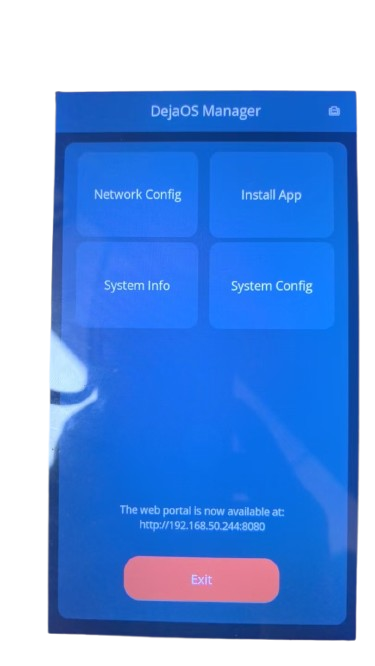
1.3 Main Function Interface
The main interface includes four core functional modules:
- Network Config: Configure Wi-Fi or Ethernet connections.
- Sys Info: View basic information such as DejaOS system versions and installed application version/size.
- System Config: Change the system password and switch system operating modes (refer to System Mode).
- Install App: Support installing DPK application packages via network download or local import.
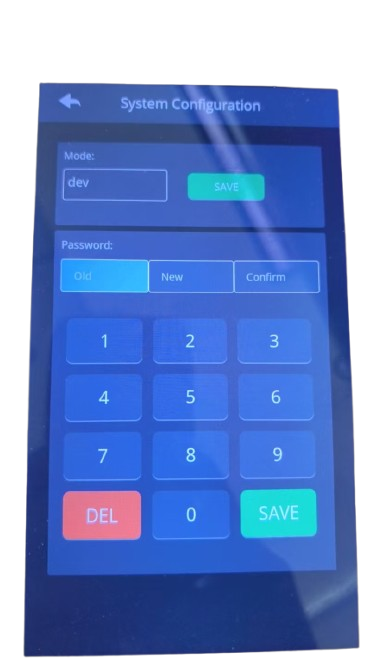
1.4 System Configuration & Mode Switching
In the system configuration page, you can intuitively modify the system operating mode (Development, Production, Test) and change the administrator password.
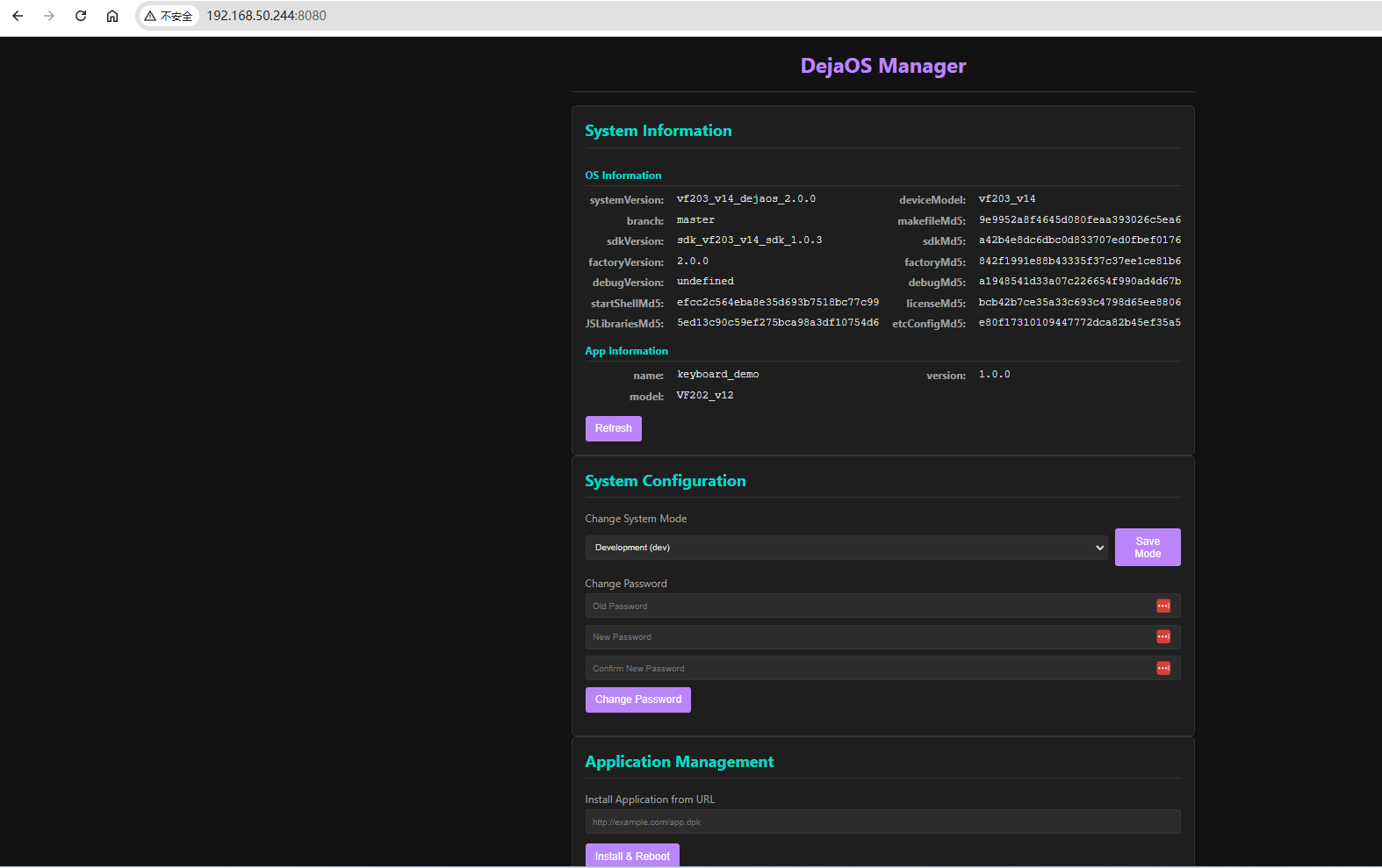
1.5 Remote Web Management
In addition to operating on the device screen, the System Manager App also has a built-in Web server. You can connect your computer and the device to the same local network, access the device's IP address via a computer browser, and enter the Web console for remote management. This method is more flexible and simple.
2. Old Version (2.0.0): PC Tool Management Mode
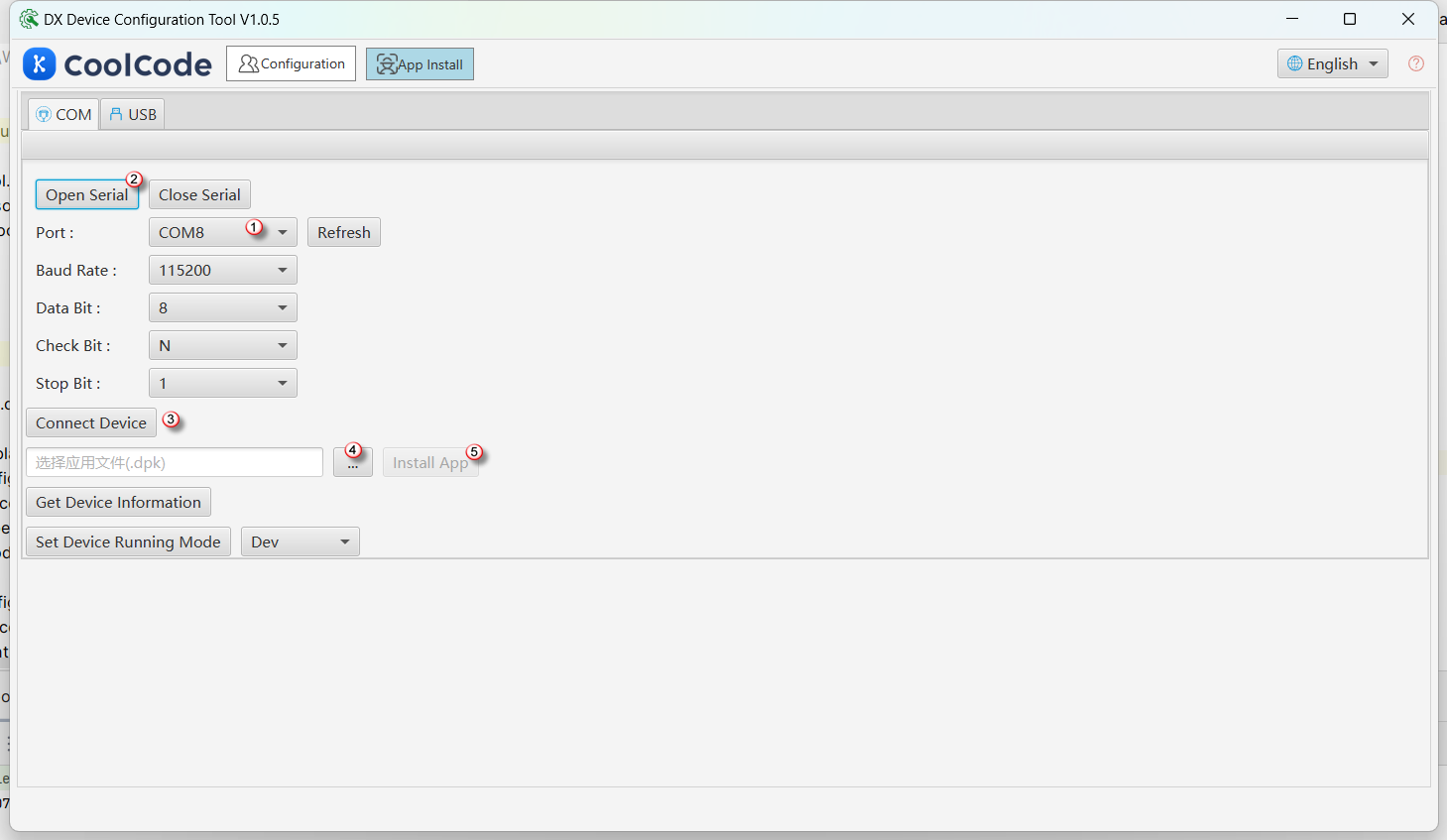
In older versions of the dejaOS system, system management functionality is implemented through a special state known as Safe Mode. This mode is similar to the BIOS mode of a PC, where the device itself does not provide a graphical interface and relies on PC-side tools for operations.
2.1 How to Enter
When the device starts up, there is a 2-second delay window. During this period, you can enter this mode by connecting to PC tools via a serial cable.
2.2 Main Functions
- Install DPK Applications: This is the core function, used to install packaged applications onto the device.
- Switch System Modes: Tools can be used to switch the device to Development, Production, or Test mode.
- Get System Information: You can view basic information such as system version, hardware details, and installed applications.
2.3 Limitations
- Requires extra hardware connection (Serial-to-USB cable).
- Slower data transfer rates (limited by serial baud rate), making application installations time-consuming.