Debugging
During dejaOS application development, step-by-step debugging is not currently supported. You can only rely on printing logs to debug runtime data. The most basic console.log in JavaScript is not recommended for use in dejaOS because it cannot achieve real-time printing. We use dxLogger as a replacement, and the usage is very simple. Refer to the following example:
import log from "../dxmodules/dxLogger.js";

log.debug("debug..................");
log.info("info..................");
log.error("error..................");

let obj = { a: 1, b: "b" };
log.info("object:", obj);

let arr = ["a", "b", "c"];
log.info("array:", arr);

let err = new Error("file not existed");
log.error(err);
It supports 3 levels of printing, with different text colors displayed in the OUTPUT area for different levels.
If printing an Error object, it will automatically print detailed error stack information, making it easy to locate which line of code the error occurred in.
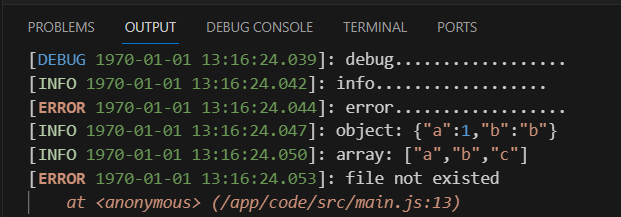
When using DejaOS CLI, run the following command from the project root to continuously view real-time device logs:
dejaos logs
Press Ctrl+C to stop viewing logs.