Device Model Selection
When developing for DejaOS using VSCode, you need to select the correct Device Model in the project configuration file (app.dxproj).
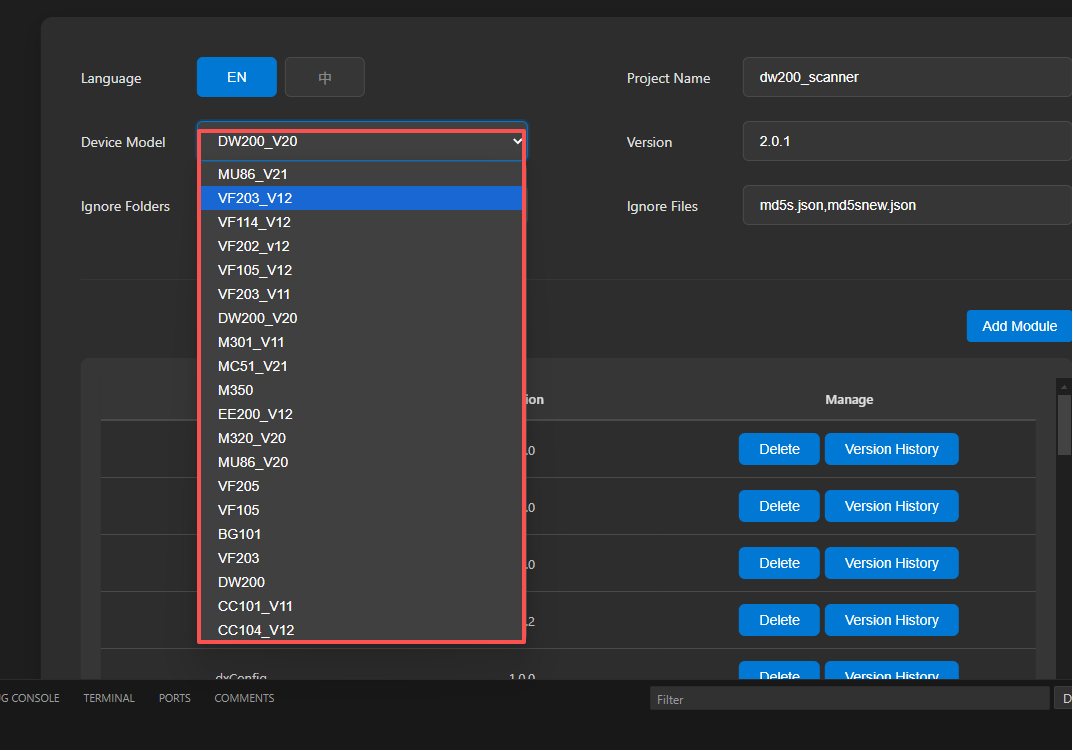
The device list in the extension includes many legacy models retained for backward compatibility, which can be confusing for new developers. To help you make the right choice, this document clarifies the concepts and provides a mapping table.
Understanding the "Model" Concepts
- Product Model: The commercial model name of the final product you purchased (labeled on the casing or packaging, e.g.,
FC6820). - Board Model: The model of the core motherboard or chipset inside the device. One board model may be used in multiple different product models.
- DejaOS Development Device Model: The model selected in the VSCode extension. It usually consists of Board Model + Version (e.g.,
DW200_V20).
Model Mapping Table
Please select the corresponding DejaOS Development Device Model in VSCode based on your Product Model or Board Model.
| Product Model | Board Model | DejaOS Dev Device Model (VSCode) | Notes |
|---|---|---|---|
| FC6820 | DW200 | DW200_V20 | Other versions are deprecated |
| FCV4905 | VF105 | VF105_V12 | Other versions are deprecated |
| FCV4914 | VF114 | VF114_V12 | Other versions are deprecated |
| FCV5005 | VF205 | VF105_V12 | Note: Compatible with VF105 series |
| FCV5003 | VF203 | VF203_V12 | Other versions are deprecated |
| (Generic) | VF202 | VF202_V12 | Other versions are deprecated |
Tip: Most other models in the list are obsolete or specific custom versions. Do not use them unless strictly necessary. They may be removed in future versions.