How to Connect Device
🔌 Device Connection Types
DejaOS devices come in two connection types:
Type 1: Direct USB-A Cable
Some devices come with a built-in USB-A male connector cable. Simply plug the USB-A connector directly into your computer's USB port.
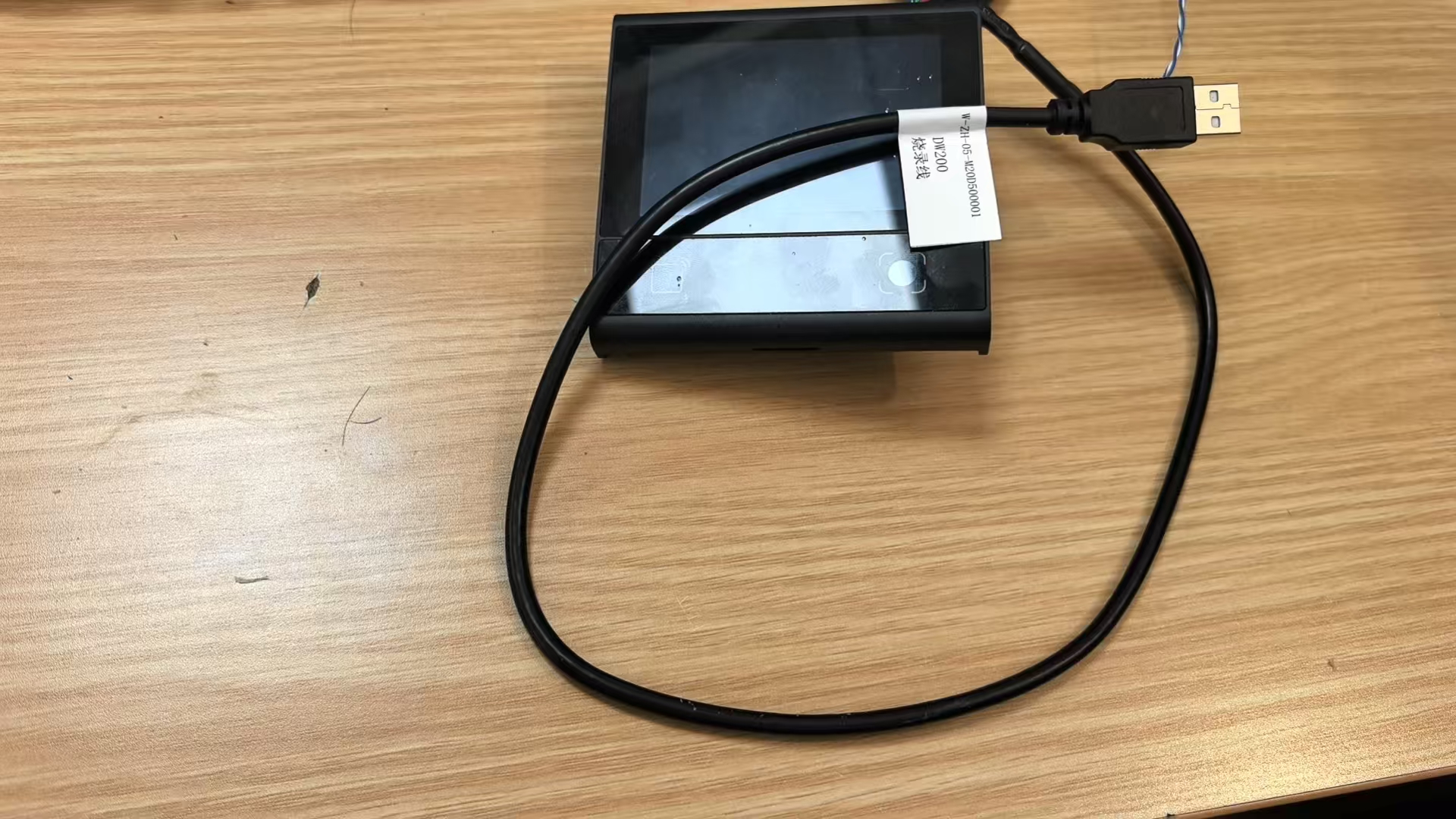
Type 2: USB Type-C Receptacle
Some devices feature a USB Type-C receptacle. For these devices, you need to use a USB Type-C to USB-A data cable to connect to your computer.
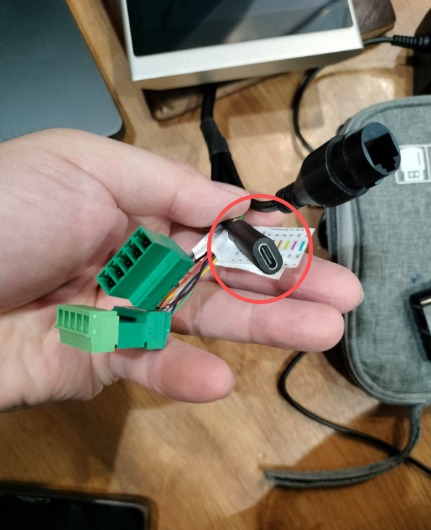
Cable Requirements:
- You can purchase a USB Type-C to USB-A data cable
- Alternatively, you can use a standard Android phone data cable (USB Type-C to USB-A)
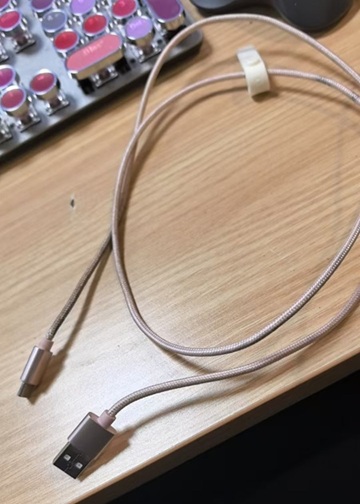
Note: After connecting the cable to the device's Type-C port, plug the USB-A end into your computer's USB port.
✅ Verify Device Recognition
DejaOS devices are HID (Human Interface Device) devices. When connected, the operating system typically does not show a popup notification. You need to manually verify that the device has been recognized. This is not a required step, but it can help you confirm that the device is properly connected.
Windows
- Open Device Manager (press
Win + Xand select "Device Manager") - Expand the "Human Interface Devices" category
- Look for "HID-compliant device" in the list
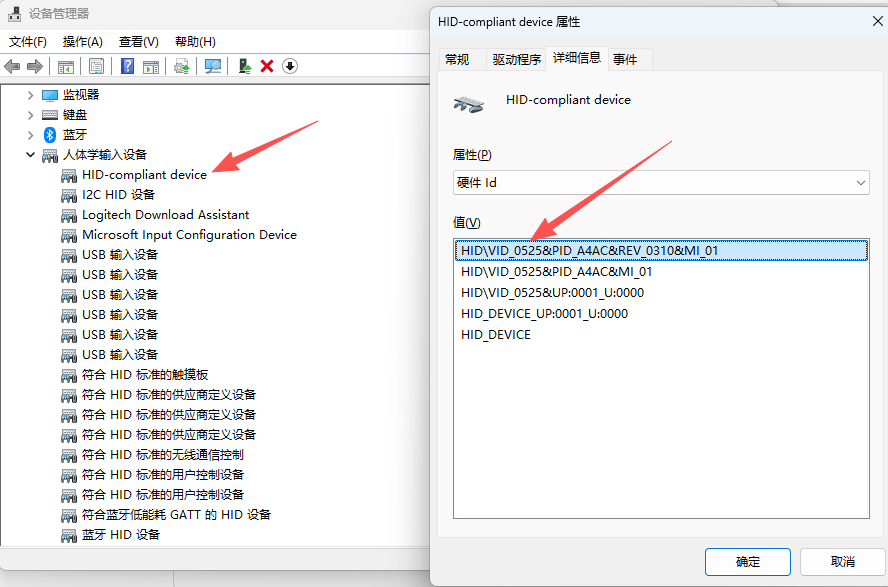
If you see "HID-compliant device" listed and Id is
0x0525, your device has been successfully recognized.
macOS
- Open Terminal
- Run the following command:
system_profiler SPUSBDataType - Look for a device entry with:
- Product ID:
0xa4ac - Vendor ID:
0x0525
- Product ID:
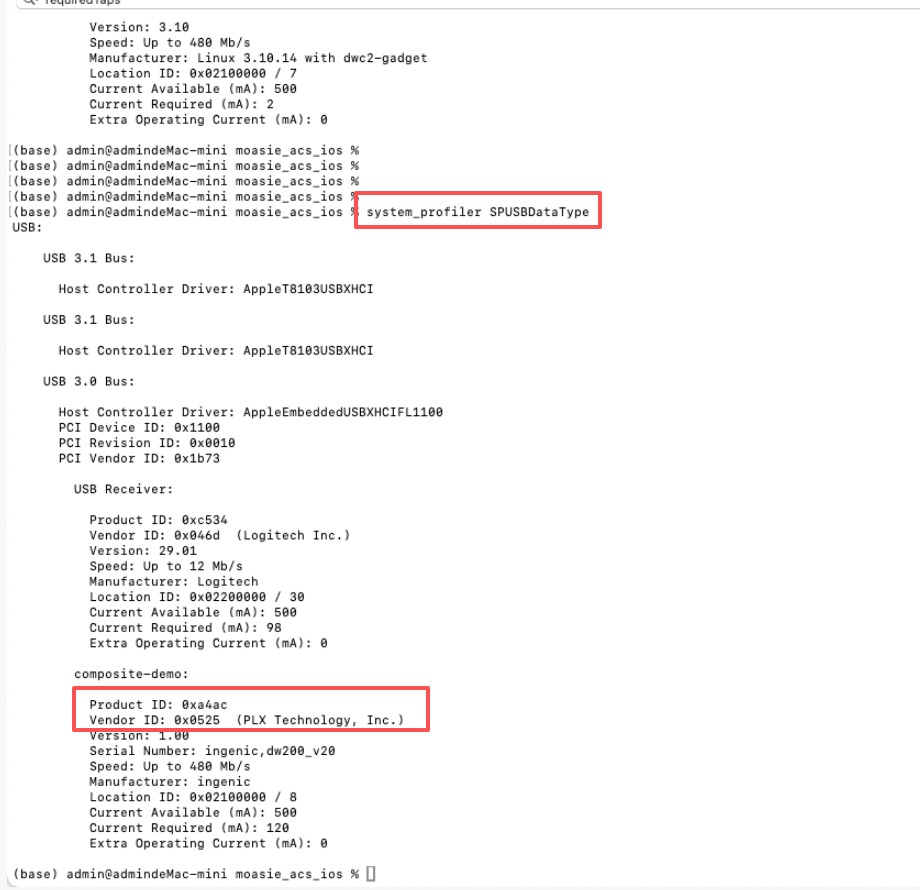
If you find a device matching these IDs, your DejaOS device has been successfully recognized.
🔍 Troubleshooting
If your device is not recognized:
- Check the USB cable connection - Ensure the cable is firmly connected at both ends
- Try a different USB port - Some USB ports may not provide sufficient power
- Try a different cable - If using a Type-C device, ensure the cable supports data transfer (not just charging)
- Check device power - Ensure the device is powered on
- Restart your computer - Sometimes a system restart helps with device recognition
📘 Next Steps
Once your device is connected and recognized:
- 📦 Continue with: Hello World Quick Start
- 🔧 Learn more about: DejaOS Device