DejaOS Host Demo
DejaOS Host Demo is a lightweight, visual host application for DejaOS devices. It presents an app-launcher experience similar to a simplified mobile operating system: the device can configure its network and backend service, discover micro apps, install or remove them at runtime, and launch them from the home screen without restarting the Host application.
The entire demo—including the device application, micro-app runtime, Node.js backend, browser management UI, sample micro apps, and supporting documentation—was implemented with Codex together with the DejaOS dejaos-app-dev-sdk2-0 Skill.
The Skill supplied DejaOS SDK 2.0 development guidance for worker boundaries, dxUi, dxEventBus, dxHttpClient, runtime resources, and embedded-device constraints, while Codex applied that guidance to build and validate the complete workflow.
Demo Screenshots
Device Host and App Management
| Home Screen | Apps Available from the Server |
|---|---|
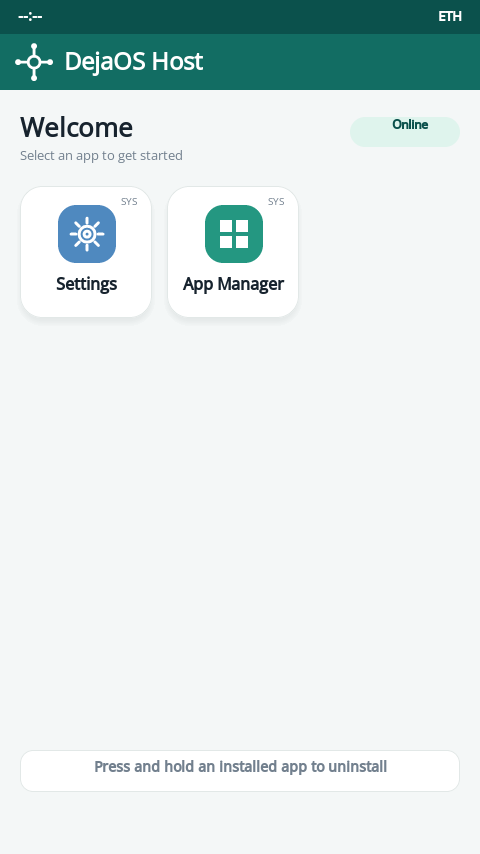 | 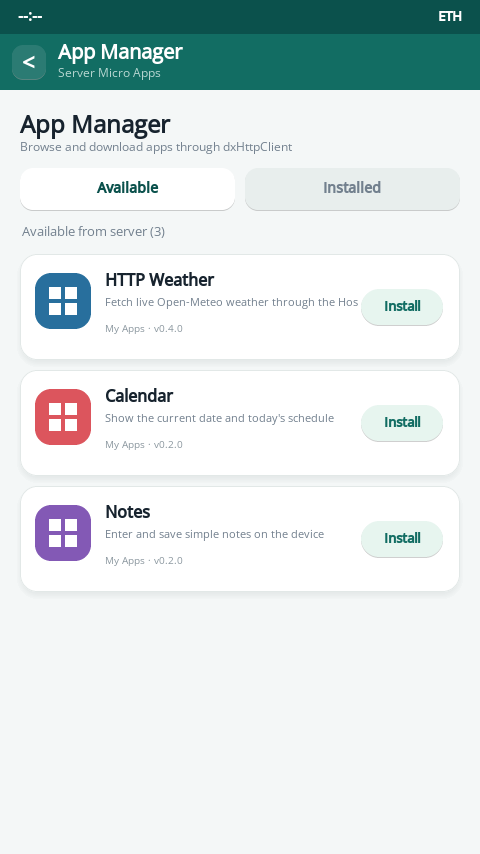 |
| Installed Apps on the Home Screen | Installed App Management |
|---|---|
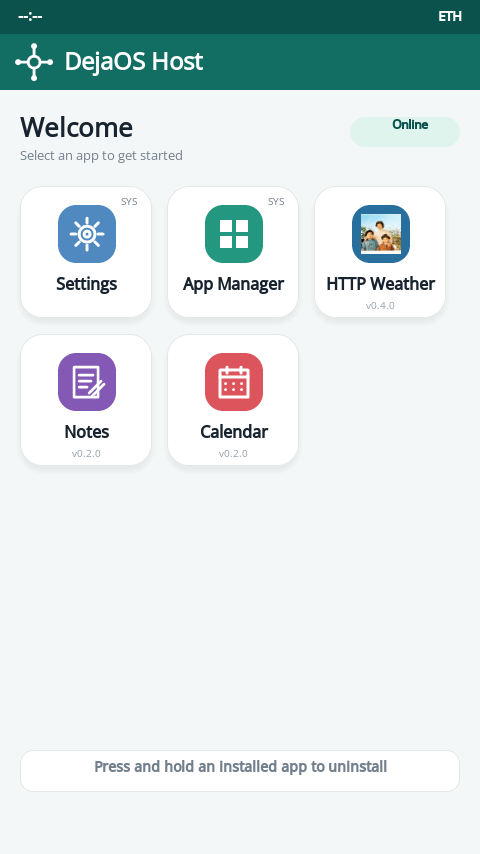 | 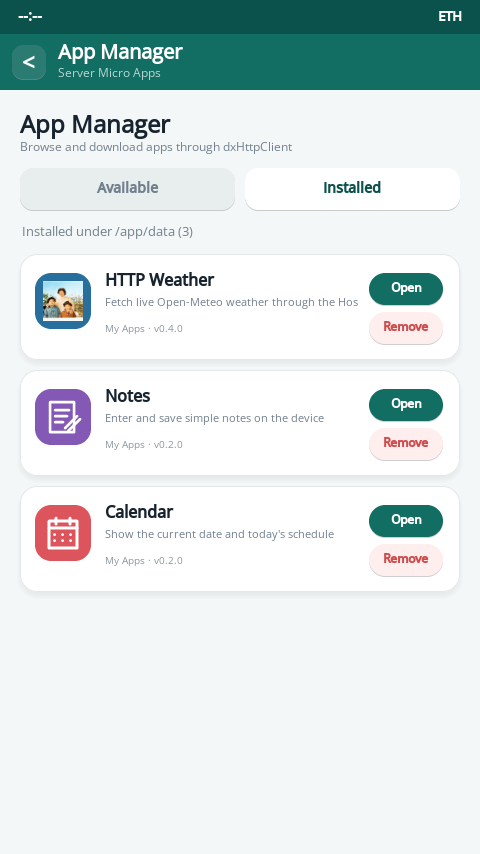 |
Network Configuration
| Ethernet | Wi-Fi |
|---|---|
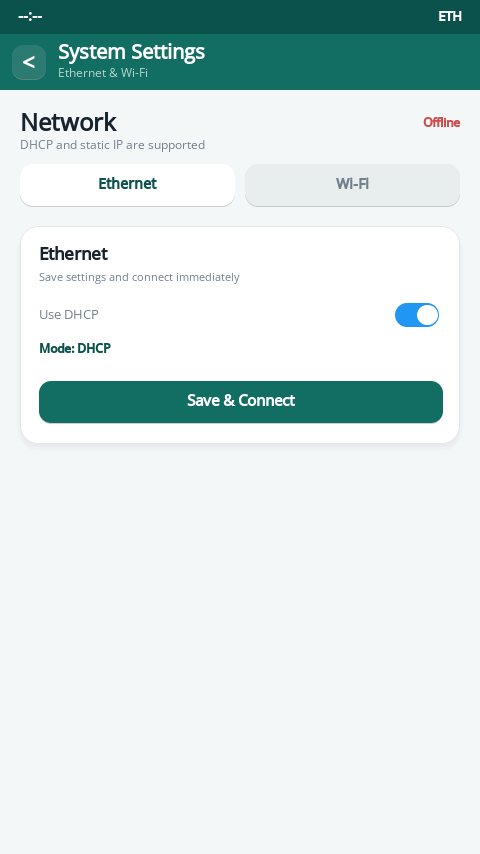 | 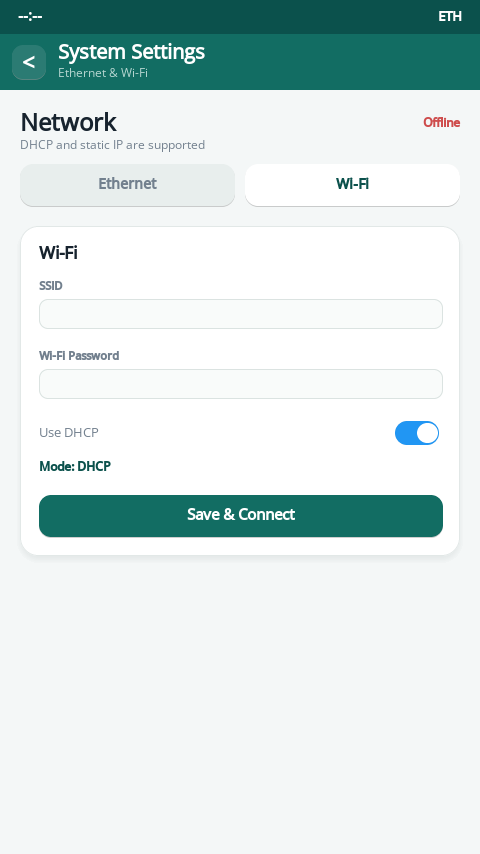 |
Both Ethernet and Wi-Fi support DHCP and static IP settings. Static configuration includes IP address, subnet mask, gateway, and DNS.
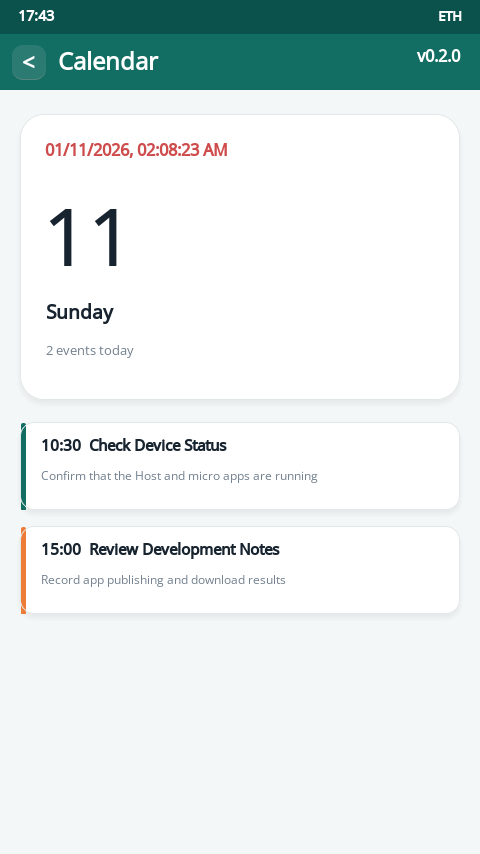
Runtime Micro Apps
| HTTP Weather | Quick Notes | Calendar |
|---|---|---|
 |  |  |
Browser Management and Online Development
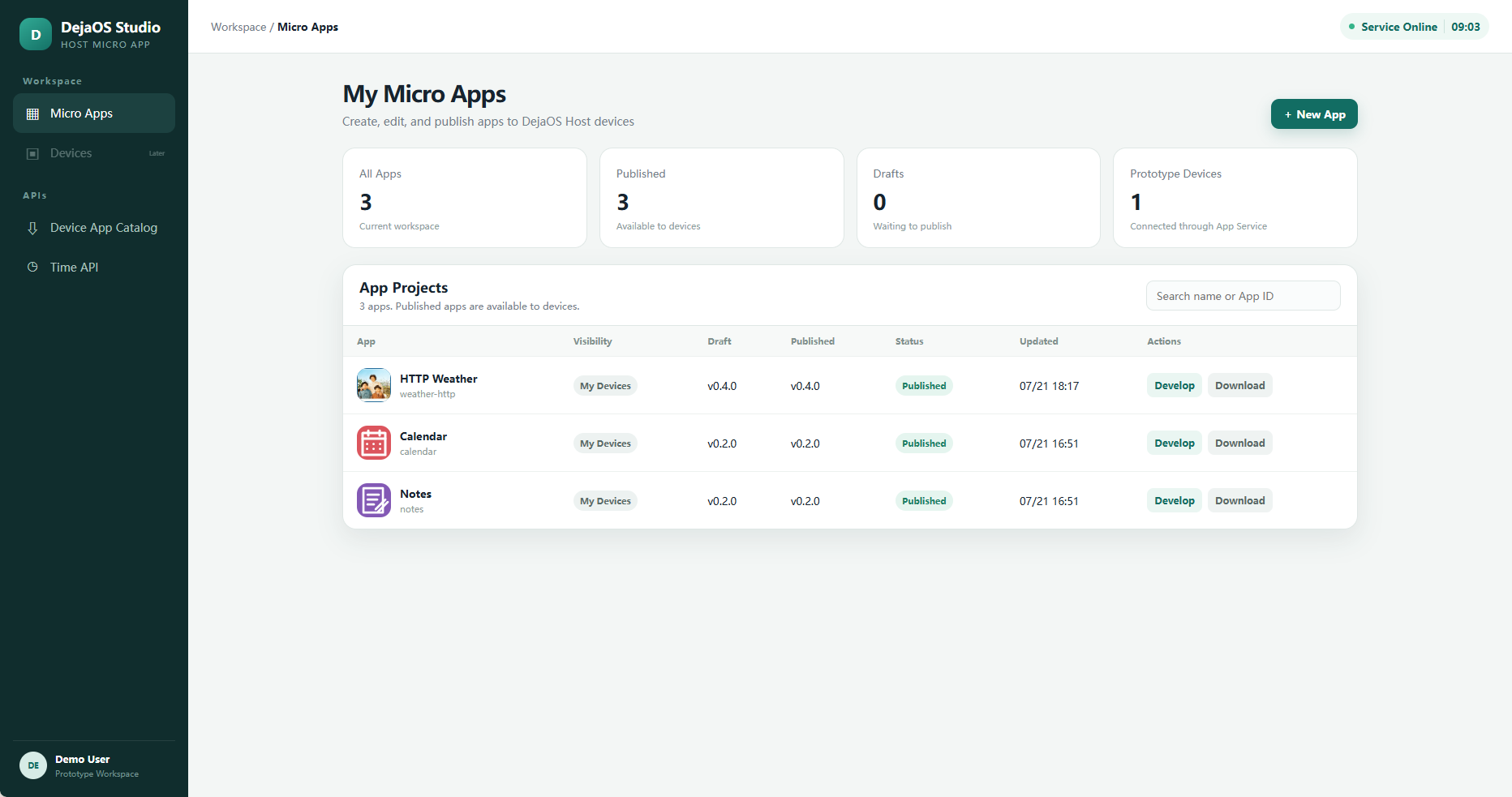
The management page creates and publishes micro apps, tracks draft and published versions, and provides package downloads.
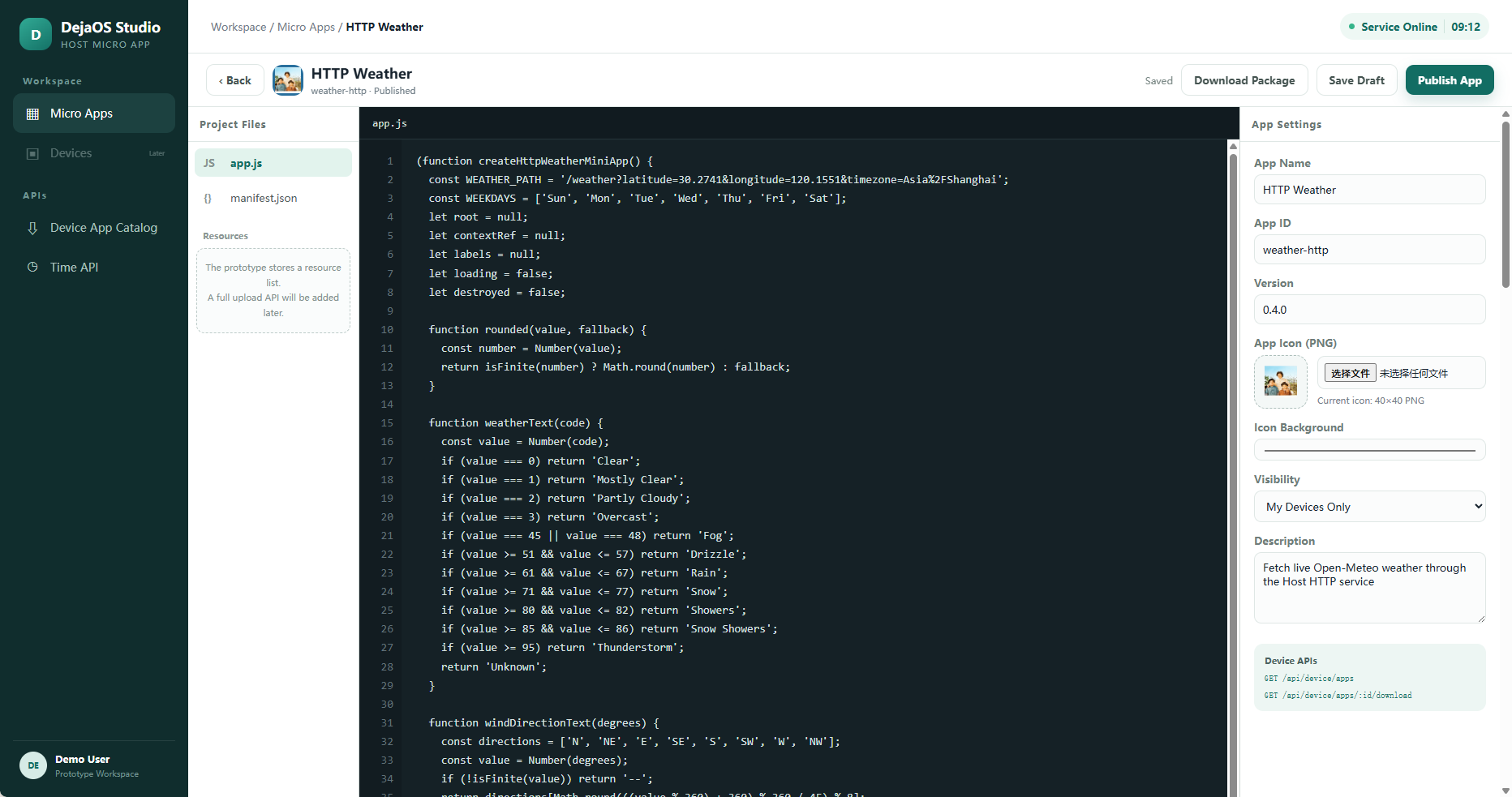
The prototype editor supports app.js, manifest.json, app metadata, visibility, version management, and custom 40×40 PNG icons.
Browse every device and management screenshot in the screenshot directory.
End-to-End Workflow
- Create a micro app in the browser management UI.
- Edit its JavaScript, manifest, metadata, and icon, then publish a version.
- Configure the App Service address on the DejaOS Host device.
- The device obtains the published catalog through
dxHttpClient. - Select Install to download the package into
/app/data/dejaos_host/apps/. - The Host loads the entry script dynamically with
dxStd.loadScript; no staticimportor Host restart is required. - Open the new icon from the home screen. Remove it from App Manager or by pressing and holding its home-screen icon.
This validates the complete prototype path from online development and publication to device download, dynamic loading, execution, and removal.
Main Features
- Host-style launcher: A 480×854 device home screen with system tools and dynamically installed micro-app icons.
- Network setup: Ethernet and Wi-Fi, with DHCP or static IP configuration and a connection timeout flow.
- App Service configuration: Configure the backend by IP address, domain name, port, or complete URL.
- Runtime installation and removal: Install, load, unload, and remove micro apps without restarting the device or Host application.
- Custom app icons: Upload any PNG in the management UI and crop/resize it to the required 40×40 format.
- Online development: Edit application code and metadata, save drafts, publish versions, and download packages.
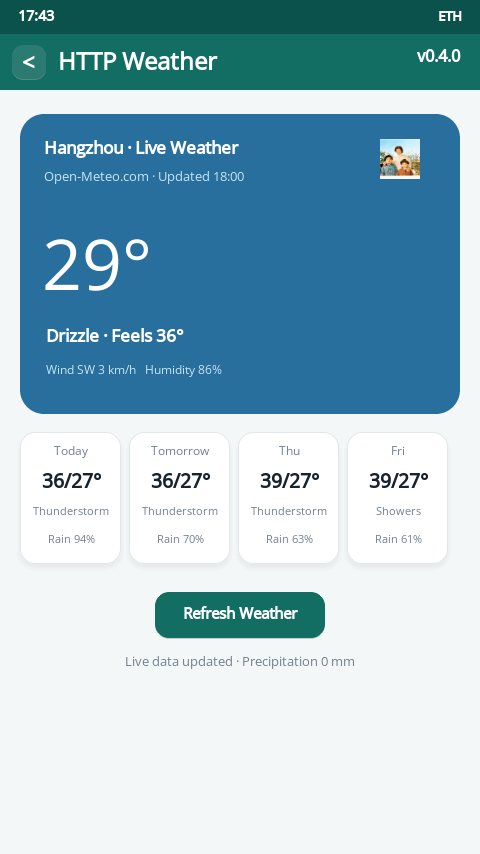
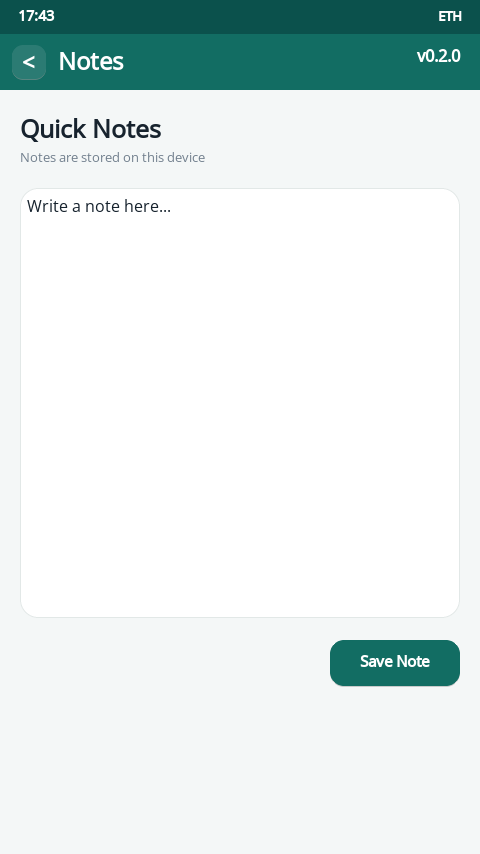
- Sample micro apps: Live weather through the backend's Open-Meteo proxy, local notes, and calendar views.
- Time synchronization: Update the device status-bar time through the backend time API after networking succeeds.
- Screenshot upload: Double-tap the blank center of a page's status bar to capture the screen and upload the PNG to the backend.
Architecture
The demo contains three cooperating parts:
- Device application (
app/): A DejaOS SDK 2.0 project. The main worker starts a dedicated UI worker and network worker. Pages are managed byUIManager; cross-worker messages usedxEventBus. - Management UI (
web/): A framework-free HTML, CSS, and JavaScript application for creating, editing, publishing, and downloading micro apps. - Backend (
webapi/): A Node.js 20+ service using built-in modules only. It serves the management UI, app catalog and packages, time and weather APIs, and screenshot uploads.
Important Device Files
app/src/main.js: Starts the Host workers.app/src/uiWorker.js: InitializesdxUi, page routing, overlays, and the UI event loop.app/src/networkWorker.js: Owns device networking, HTTP catalog/package operations, time sync, micro-app service requests, and screenshot uploads.app/src/UIManager.js: Manages the single-screen page stack and shared fonts.app/src/services/MicroAppLoader.js: Loads and unloads installed micro-app scripts dynamically.app/src/services/AppRegistry.js: Maintains remote and installed app metadata.app/src/pages/: Home, settings, network, App Service, App Manager, and micro-app host pages.
Source Code
The complete source code is available here: DejaOS repository · apps/features/dejaos_host
The DejaOS development Skill used to build the entire demo is available here: DejaOS repository · skills/dejaos-app-dev-sdk2-0
Running the Prototype
- Start the backend from
webapi/withnpm start(Node.js 20 or later). - Open
http://localhost:8080/to access the management UI. - Deploy the
app/project to a compatible DejaOS SDK 2.0 device. - Configure network access and set the device's App Service address to the backend URL.
- Publish a micro app in the browser, refresh the device catalog, and install it.
Prototype note: This demo focuses on validating the complete development-to-device workflow. Production authentication, device ownership, package signing, application isolation, debugging, and a formal micro-app SDK are intentionally outside its current scope.