Face Feature Extraction Service
Introduction
The Face Feature Extraction Service (Face Server) is a standalone backend that runs on a CentOS server. It exposes an HTTP API: you upload a photo containing a face, and the service returns a cropped face thumbnail and the corresponding feature vector (feature value).
This is useful when you manage user photos on a PC or cloud backend and need to prepare data for VF-series DejaOS face devices (Linux-based; not Android face terminals). Typical workflows:
- Upload a large high-resolution photo (e.g. several MB); receive a small cropped face image (~20 KB) for faster download to devices.
- Convert photos into 1024-byte feature vectors and push only the vectors to devices — less bandwidth and no need to store portrait photos on the device.
For concepts such as feature vectors and registration, see Facial Recognition Development Overview.
Photo Requirements
Uploaded registration photos should meet the following requirements (same as on-device photo registration):
| Item | Requirement |
|---|---|
| Face pixels | Min 80, max 512 |
| File size | 50–300 KB |
| Image dimensions | Width 512–800, height 640–1024 |
| Format | JPG |
| Content | Everyday / lifestyle photo; no beauty filters; no heavy makeup; no occlusion such as sunglasses, scarves, or masks |
Deployment Overview
| Item | Requirement |
|---|---|
| OS | CentOS 7.x |
| Install path | /root/face (fixed) |
| HTTP port | 9001 (must be open) |
| Compatible devices | VF-series face products (DejaOS / Linux), excluding Android models |
After installation, start the crop/feature service with run.sh under /root/face/bin/. On first launch you may need a License file (server ID is shown in the console; contact your administrator). See the package README for environment variables (LD_LIBRARY_PATH, FACEIDSDKPATH) and startup details.
Download: FaceServer_dejaos.zip
HTTP API
Endpoint: POST http://<server-ip>:9001/dxdop/webadmin/face/clipper
Request: multipart/form-data with field file — the image to process.
Response (success example):
{
  "code": 1,
  "msg": "裁剪成功",
  "data": {
    "faceB64": "/9j/4AAQS....",
    "faceFeature": "6gcF8uFUNjcwC.....AAA=="
  }
}
| Field | Description |
|---|---|
faceB64 | Base64-encoded cropped face image (thumbnail) |
faceFeature | Base64-encoded feature vector for device registration / 1:N matching |
Use the cropped image or feature value on the device according to your application (see Face Registration and Recognition).
Test Client (Windows)
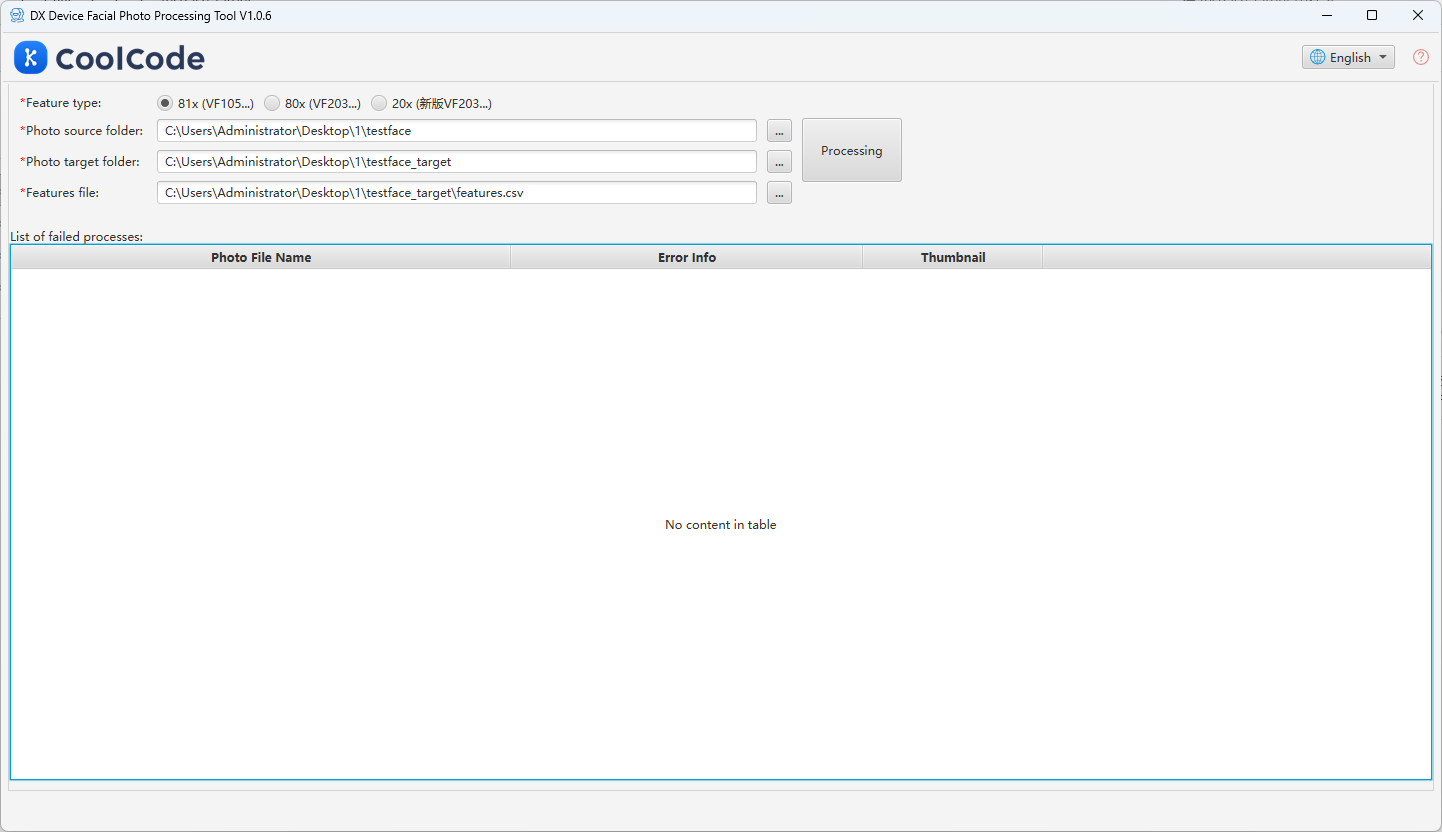
The installation package includes a Windows desktop test tool under bin/test/ for batch processing folders of photos without writing your own HTTP client.
- Start the Face Server on CentOS (see package README).
- Configure
data/photo_tool/configwith your server IP:{
"batchUrl": "http://<IP>:9001/dxdop/webadmin/face/clipper",
"locale": "zh_CN"
} - Run
photo_tool.exe, set input/output folders, and click Process. Cropped images and feature files are written to the directories you choose; failures appear in the failure list for retry.
Related Topics
- Facial Recognition Development Overview — feature vectors, registration, recognition
- Example: Face Registration and Recognition — on-device registration and matching