HTTP Access
A door access app on DejaOS for the FC6820 terminal: on-device access via NFC, PIN, and QR only. The device exposes HTTP API (v1) for integration and a browser-based admin UI at the same service (desktop and mobile browsers).
This is a complete application ready for real-world deployment. You can go live after light customization.
Web admin UI
Besides JSON APIs, the device serves a full web console. On the LAN open:
http://<device-ip>:8080
You can view device status, remote unlock, time sync, manage users, access logs, and system events—no extra software required. The layout is mobile-friendly for phone-based maintenance.
| Screen | Preview |
|---|---|
| Admin (browser) | 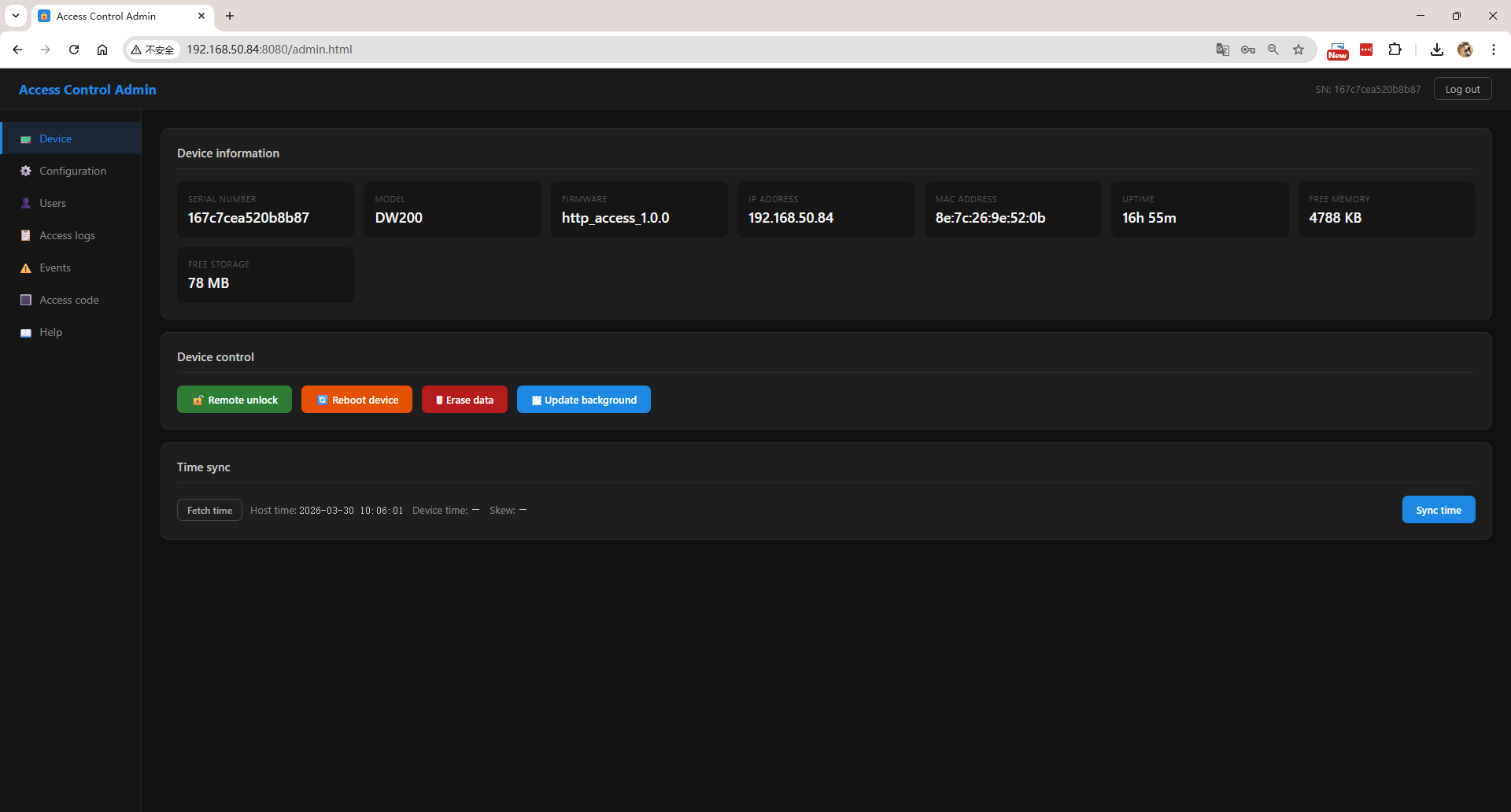 Access Control Admin: sidebar for device info, configuration, users, access logs, events, access codes (NFC / PIN / QR), and help. |
Device touchscreen screenshots
On-device UI previews; wording on hardware may differ.
| Screen | Preview |
|---|---|
| Home | 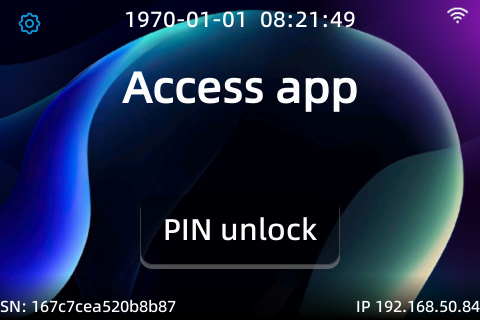 Device home and entry to access flows. |
| PIN unlock | 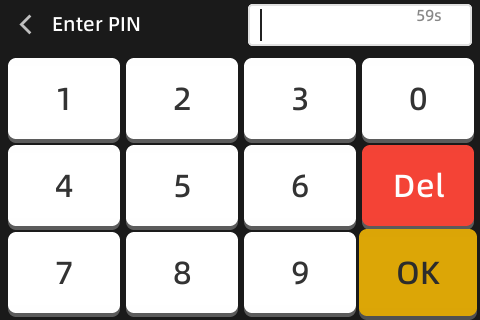 User enters PIN to unlock locally. |
| Admin login | 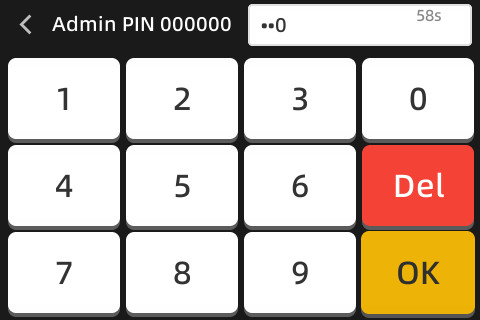 Authentication before admin functions. |
| Network | 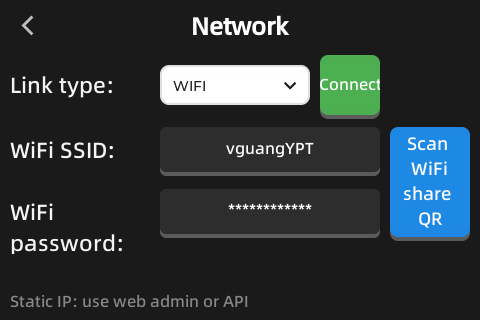 Wired/Wi-Fi parameters. |
| Settings | 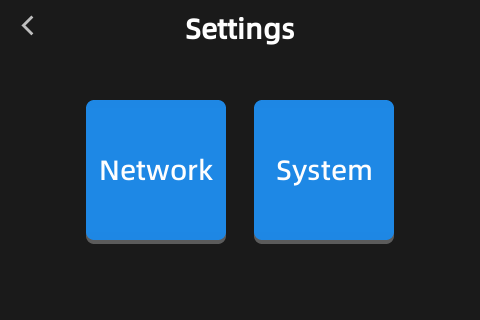 Device and business settings. |
| System info | 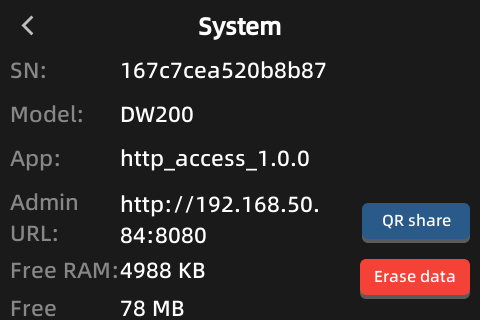 Serial, firmware, IP, MAC, uptime, free memory and storage. |
Network setup and remote management
Besides PIN unlock, the touch admin flows center on network configuration. Ethernet (ETH) and Wi‑Fi both support DHCP. For a static IP, use DHCP first to join the LAN, then set a fixed address from the Web UI at http://<device-ip>:8080 or through the HTTP API.
For Wi‑Fi, you can scan a standard Wi‑Fi share QR (WIFI: format with SSID and password). Share codes from Android, Windows, and iPhone 17 and later are typically compatible.
The device can show a QR that opens http://<device-ip>:8080 so phones do not need to type the URL. Once the network is up, Web admin and /api/v1/ are available for your platform.
Overview
- Local UX: Touch UI; access methods are NFC, PIN, and QR only.
- Web admin: Open
http://<device-ip>:8080(same port as the API); works on desktop and phone browsers. - HTTP API: JSON REST for access platforms, visitor systems, or scripts.
- Multi-worker layout: The main process starts and coordinates hardware, UI, network, and HTTP workers.
- Persistence: SQLite (e.g.
AccessDB) for configuration, user credentials, and access records.
Full source: GitHub — http_access/source/src
Access QR code (pass code)
The QR encodes JSON text (UTF-8). value must match that user’s stored qr credential value.
The device checks signature (if barcodeConfig.key is set) and timestamp: wrong signature fails; if timestamp drifts from the device clock beyond the allowed window (default ±10 seconds, configurable on device), access fails.
Computing sign: concatenate String(value) + String(timestamp) + String(key) with no separators, then MD5 to a 32-character lowercase hex string; key matches barcodeConfig.key. If signing is disabled, omit sign and use only value and millisecond timestamp; the timestamp must still fall within that time window.
Example payload with signature:
{
  "value": "QR0001A",
  "timestamp": 1741234567890,
  "sign": "32-char lowercase hex MD5"
}
Whether access is allowed can also depend on API period (see Appendix B below).
The Web admin includes an access code generator page to build QRs and test scans.
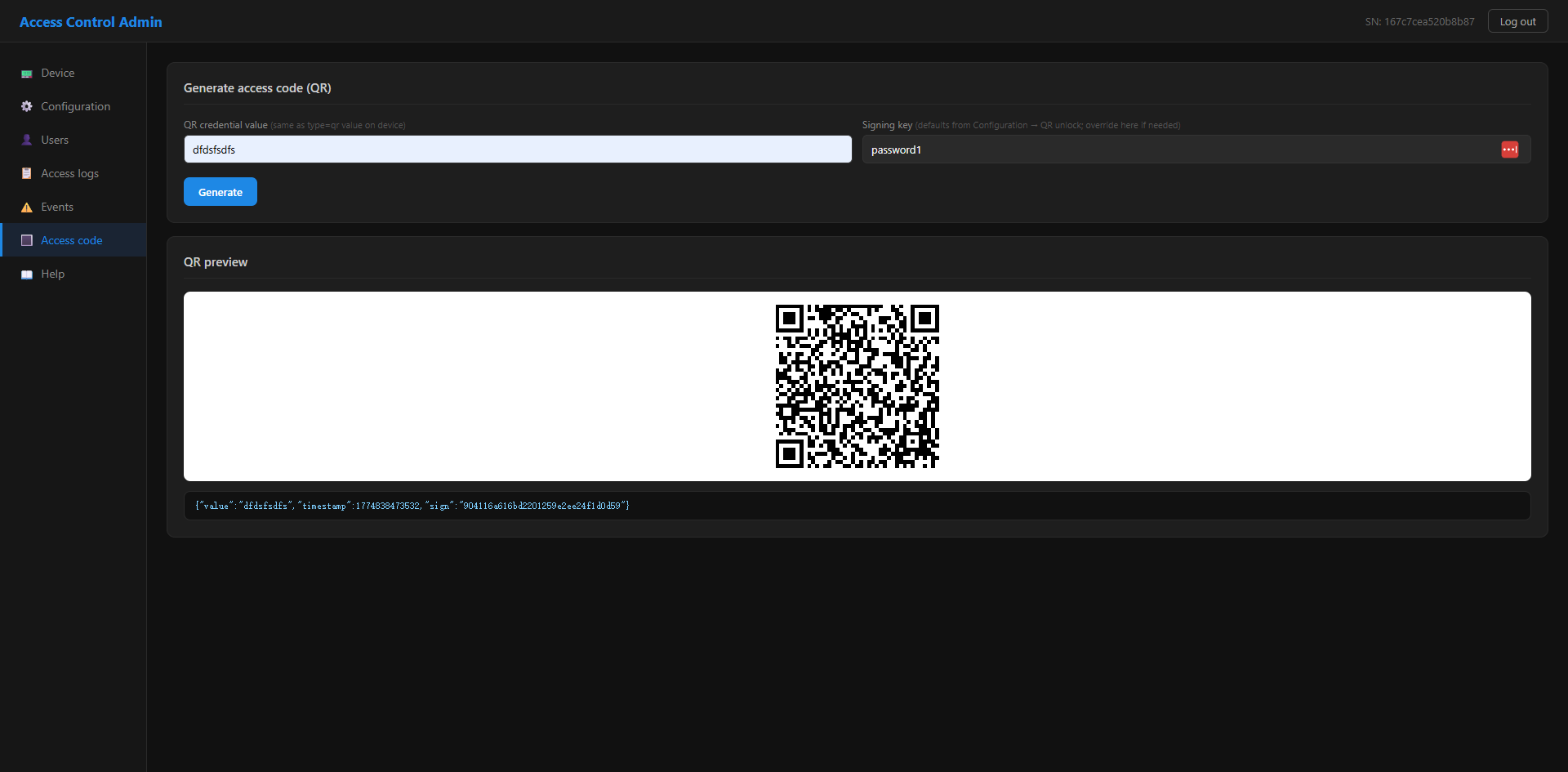
Enter credential value, signing key (optional if disabled), and expiry (seconds) on that page to generate the QR.
Project layout (summary)
Repository path: apps/solutions/access/http_access/. Under source/src:
http_access/source/
├── app.dxproj
├── src/
│   ├── main.js           # Entry: DB init, spawn workers
│   ├── uiWorker.js       # UI worker entry
│   ├── UIManager.js      # Screen flow
│   ├── constants.js
│   ├── components/       # UI components
│   ├── pages/            # Screens
│   ├── service/          # Data / domain (e.g. AccessDB)
│   ├── web/              # Web / HTTP static assets
│   └── worker/
│       ├── hardwareWorker.js   # Lock, readers, hardware
│       ├── networkWorker.js    # Network
│       └── httpWorker.js       # HTTP API service
└── screenshot/
Access device HTTP API reference (v1)
How to integrate with one access device over HTTP.
1. Overview and conventions
- Protocol: HTTP; request/response bodies are JSON (
Content-Type: application/json). - Methods:
GETandPOSTonly. - Path prefix:
/api/v1/. - Device base URL:
http://<device-ip>:8080(port as configured).
2. Calling guidance
- Prefer serial calls to the same device to avoid overloading it.
- Many devices can be contacted in parallel; each device should still be called serially.
3. Authentication
Except GET /api/v1/test, every request must include:
X-API-Key: <YOUR_API_KEY>
If missing or wrong:
{ "code": 2, "message": "Unauthorized" }
The factory default is often password (change on device; use the new key afterward). Config apiKey matches the Web admin login password.
4. Common response shape
Success example:
{
  "code": 0,
  "message": "ok",
  "data": {}
}
| code | Meaning |
|---|---|
| 0 | Success |
| 1 | Bad parameters |
| 2 | Unauthorized |
| 3 | Device error |
Some successful responses return data: null.
5. Basic APIs
5.1 Connectivity test (no auth)
GET /api/v1/test
Example response:
{
  "code": 0,
  "data": {
    "sn": "AC10001",
    "model": "FC6820",
    "timestamp": 1741234567890
  }
}
5.2 Device information
GET /api/v1/device/info
Typical data fields:
| Field | Type | Description |
|---|---|---|
| sn | string | Serial number |
| model | string | Model |
| firmware | string | Firmware version |
| ip | string | Current IP |
| mac | string | MAC address |
| uptime | number | Uptime (seconds) |
| freeMem | number | Free RAM (KB) |
| freeStorage | number | Free storage (MB) |
6. Device configuration
6.1 Read configuration
GET /api/v1/device/config
Notes: apiKey and adminPassword are not returned on GET. networkConfig is a JSON string.
6.2 Update configuration
POST /api/v1/device/config
Content-Type: application/json
{
  "config": {
    "apiKey": "new-api-key",
    "screenTitle": "Main entrance",
    "webhookUrl": "https://example.com/webhook",
    "networkConfig": "{\"netType\":\"ETH\",\"dhcp\":true}"
  }
}
Send only fields to change; others stay unchanged.
7. Device control
| Action | Request |
|---|---|
| Remote unlock | POST /api/v1/device/opendoor |
| Reboot | POST /api/v1/device/reboot |
| Erase data | POST /api/v1/device/cleardata |
Set time
POST /api/v1/device/time
Content-Type: application/json
{ "time": "2025-03-19 14:30:00" }
Home screen background
POST /api/v1/device/background
Content-Type: application/json
Body: PNG file as Base64 (without data:image/png;base64,). Must be PNG, 480×320; device may reboot shortly after success.
Firmware upgrade
POST /api/v1/device/upgrade
Content-Type: application/json
{
  "url": "https://example.com/package.dpk",
  "md5": "d41d8cd98f00b204e9800998ecf8427e"
}
| Field | Description |
|---|---|
| url | Package URL (http or https) |
| md5 | 32-character lowercase hex |
The device returns code: 0 after format checks; download, MD5 verify, and install run asynchronously.
8. Users and credentials
A credential is identified by userId + type + value; submitting the same triple again updates the record.
Credential object
| Field | Type | Description |
|---|---|---|
| id | number | Record id; delete by id |
| userId | string | User id |
| name | string | Display name |
| type | string | See Appendix A |
| value | string | NFC: card id; PIN: secret; QR: same as JSON value in the QR payload |
| period | object | Validity; see Appendix B |
Batch add or update (max 100 per request)
POST /api/v1/users/add
Content-Type: application/json
{
  "users": [
    {
      "userId": "1001",
      "name": "John Doe",
      "type": "nfc",
      "value": "AABBCCDD",
      "period": { "type": 0 }
    }
  ]
}
Delete users or credentials
POST /api/v1/users/delete
Content-Type: application/json
Delete all credentials for users: { "userIds": ["1001"] }
Delete by credential id: { "ids": [12, 13] }
If both are sent, ids wins. A single userId string is also accepted (delete all credentials for that user).
List users
GET /api/v1/users/list?page=1&size=50&userId=&name=&type=&value=
Clear all users
POST /api/v1/users/clear
9. Access log
The device keeps roughly the latest 10,000 entries (device-dependent).
| Field | Type | Description |
|---|---|---|
| id | number | Record id |
| userId | string | User id |
| name | string | Name |
| type | string | nfc, pin, or qr on success; remote for API unlock |
| value | string | Credential value |
| result | number | 1 success, 0 failure |
| time | number | Unix time (seconds) |
Query
GET /api/v1/access?page=1&size=100&userId=&name=&type=&value=&result=
Optional filter type (exact match): nfc, pin, qr, or remote.
Delete by id / clear
POST /api/v1/access/delete
{ "ids": [42, 43] }
POST /api/v1/access/clear
10. Alarm / event log
| Field | Type | Description |
|---|---|---|
| id | number | Record id |
| type | string | Often warning or error |
| event | string | Event code |
| message | string | Text |
| time | number | Unix time (seconds) |
Query
GET /api/v1/events?page=1&size=100&type=&message=
Delete / clear: POST /api/v1/events/delete with body {"ids":[5,6]}, or POST /api/v1/events/clear.
11. Webhook (device push)
Optional. Without webhookUrl, use the access and events query APIs to pull data.
With webhookUrl, the device POSTs JSON; treat delivery as OK on HTTP 2xx and JSON code === 0.
Batch access records example:
{
  "sn": "AC10001",
  "type": "access",
  "records": [
    {
      "id": 42,
      "userId": "1001",
      "name": "John Doe",
      "type": "nfc",
      "value": "AABBCCDD",
      "result": 1,
      "time": 1710000000
    }
  ]
}
Prefer 1–100 records per batch.
Single warning-style example:
{
  "sn": "AC10001",
  "type": "warning",
  "event": "door_forced_open",
  "message": "Forced open detected",
  "time": 1710000000
}
12. Appendix A: credential type
This app supports only these three when writing user credentials:
| type | Description |
|---|---|
| nfc | Card |
| pin | PIN |
| qr | QR |
13. Appendix B: period model
type = 0 (no limit)
{ "type": 0 }
type = 1 (fixed window; beginTime–endTime in Unix seconds)
{
  "type": 1,
  "range": {
    "beginTime": 1640917147,
    "endTime": 1690917147
  }
}
14. Appendix C: config keys (GET/POST /api/v1/device/config)
| key | Description | Returned on GET |
|---|---|---|
| apiKey | API key; same as Web admin password | No (write-only) |
| adminPassword | Local admin PIN (e.g. 6 digits) | No (write-only) |
| screenTitle | Title on screen | Yes |
| webhookUrl | Webhook URL | Yes |
| networkConfig | Network settings JSON string | Yes |
Tip: UI assets target 480×320; other resolutions need layout work. When operating many devices, use a distinct API key and address per unit.